


Dealerships that use digital technologies scale faster and relatively more smoothly than those that keep their tech use to a minimum.
Among the technologies most dealerships are adopting, DMS and CRM software are the most popular, and in a way, the most essential. Understanding the DMS vs CRM distinction is the first step toward making the right investment decision. A DMS helps you centralize your dealership’s managerial functions, while the CRM, on the other hand, helps you acquire and retain customers better.
If you are trying to decide between a CRM and a DMS, or trying to figure out whether you need both, this guide covers(in detail) what each system does, where their boundaries are, and how to make the right call for your dealership’s operations.
A Quick Summary
A dealership management system is a complete technological ecosystem that centralizes all the dealership’s operations. It digitizes all the managerial and administrative functions. A DMS’s scope covers operations from finance to sales to inventory management and other functions that a dealership runs.
CRM, on the other hand, has a limited scope, and its primary job is to perform all the functions involved in acquiring or retaining a customer, including lead capturing, recording lead data, tracking customer history with the dealership, preferences, and post-purchase service scheduling.
For a dealership whose primary objective is to grow revenue by improving the effectiveness of its marketing, sales and support functions, an automotive CRM is an indispensable investment they have to make. It will give them a better tracking of their leads and give them the data to optimize their approaches for closing more deals and generating more revenue.
On the other hand, a dealership whose primary challenge is administrative performance, or operational mismanagement, then a Dealership Management System is the technology investment they should prioritize. DMS primarily solves their administrative and managerial blind spots and centralizes the data for managers and decision-makers to optimize the internal operations of the dealership.
An Overview of DMS vs CRM for Automotive Businesses
Both DMS and CRM serve a different purpose, have specialized features and come at different costs. Here’s the comparison between the two.
| Technology | Purpose | Core Functionalities | Estimated Cost |
| Automotive CRM (The “People” System) | To manage customer acquisition and retention by tracking every interaction from initial lead to post-sale follow-up. | • Lead Capture: Centralizes inquiries from web, phone, and walk-ins.• Sales Pipeline: Tracks deal stages (Appointment → Sold).• Communication: Integrated SMS, Email, and VoIP logs.• Automation: Triggers follow-up tasks and marketing nurture sequences. | Purpose-Built: $1,500 – $4,500 /month |
| DMS (The “Business” System) | To manage the back-office operations, inventory, and finances that keep a dealership legally compliant and operationally functional. | • Inventory Management: Tracks vehicle cost, parts, and aging.• Deal Structuring: Desking, F&I compliance, and lender submissions.• Service & Parts: Repair orders (ROs) and warranty claims.• Accounting: General ledger, floorplan, and month-end closing. | Monthly Subscription: $2,000 – $10,000+ /monthImplementation:$10,000 – $50,000+(One-time setup & training) |
What Is an Automotive CRM?
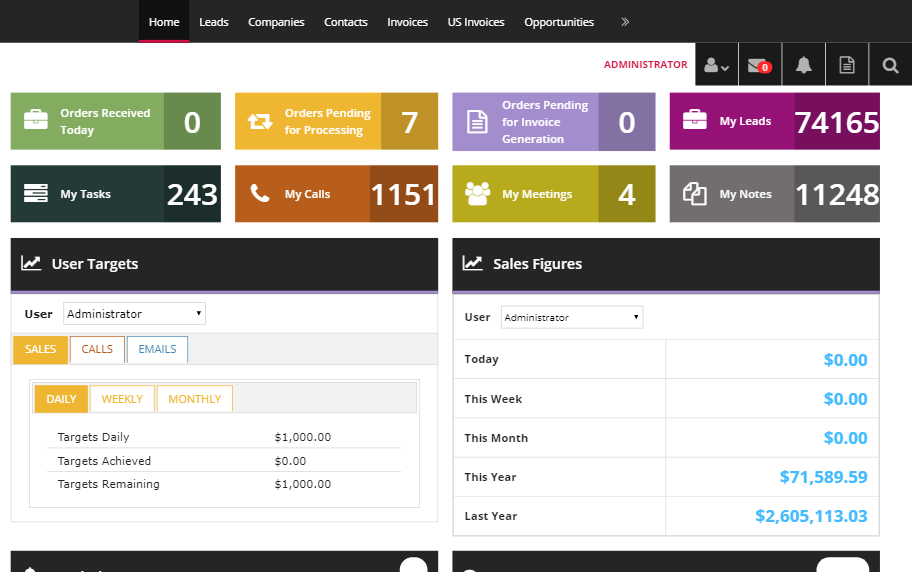
Source: https://www.rolustech.com/industry-solutions/automotive-crm
An automotive CRM (Customer Relationship Management system) is software built to manage every interaction a dealership has with prospects and customers, covering everything from the first inquiry through the purchase and into post-sale retention.
Unlike generic CRMs used in other industries, automotive-specific CRMs are designed around the car-buying cycle: long consideration periods, multiple communication channels, trade-in discussions, test drive scheduling, and the hand-off between a Business Development Center (BDC) and the sales floor.
The core premise of an automotive CRM is that no lead should fall through the cracks and no customer relationship should go unmanaged. It is the system that tells you who you talked to, what you said, what they want, and what you need to do next.
Functions of an Automotive CRM Perform
Lead capture and centralization.
A CRM pulls inquiries from every source, including your dealership website, third-party listing sites like Cars.com and AutoTrader, OEM lead programs, phone calls, walk-ins, and chat tools, and consolidates them in one place. Without this, leads scatter across email inboxes, sticky notes, and individual salespeople’s phones.
Lead assignment and routing.
Once a lead arrives, the CRM assigns it to the right salesperson or BDC agent based on rules the dealership configures: availability, vehicle type, geographic zone, or round-robin rotation. Automated task triggers then prompt the assigned rep to respond within a defined window.
Pipeline tracking.
The CRM tracks each opportunity through defined sales stages. Typically, these are: new lead, contacted, appointment set, appointment shown, working numbers, closed. Managers can see at any moment where every active deal stands, which leads have gone cold, and where the process is breaking down.
Communication management.
Modern automotive CRMs provide built-in email, SMS, and in some cases, VoIP calling, with all conversation history logged against the customer record. This means when a customer calls back, any rep can pick up the conversation without asking them to repeat themselves.
Automated follow-up.
One of the clearest value-adds an automotive CRM delivers is automated task creation and outreach. If a prospect came in for a test drive three days ago and hasn’t been followed up with, the CRM generates a task and sends a pre-approved text or email. Dealerships with structured follow-up automation consistently see 15–25% better lead-to-sale conversion rates compared to stores managing follow-up manually.
Appointment scheduling.
Reps can book sales and service appointments directly within the CRM, with reminders sent automatically to customers.
Marketing automation.
CRMs maintain a full database of existing customers, which enables targeted campaigns: lease-end notifications, trade-in equity alerts, service reminders, and conquest campaigns targeting customers in competing brands’ databases.
Reporting and performance measurement.
Managers use CRM dashboards to track metrics like lead response time, appointment-to-show rate, show-to-sold rate, and individual rep performance. This data is the basis for optimization and process improvements.
Integrations for an Automotive CRM Require
A CRM cannot function in isolation. The integrations it depends on to do its core job include:
DMS integration is the most critical connection. The CRM needs to pull customer records, vehicle purchase history, and service records from the DMS so that reps know what a customer currently owns, what they paid, and what service they’ve had. Without this connection, reps are working blind on repeat customers, and post-sale follow-up lacks the context to be relevant.
Inventory feed integration allows the CRM to attach specific vehicles to active leads. A salesperson handling a customer interested in a specific trim level needs to see real-time availability rather than guessing or checking a separate system.
Lead provider integrations connect the CRM directly to third-party platforms (Cars.com, AutoTrader, TrueCar, CarGurus, and OEM lead programs) so that leads arrive in the CRM in real time rather than through manual import.
Phone system integration allows inbound and outbound calls to be logged automatically against customer records, with recordings available for review and training.
Website and chat integration captures inquiries, VIN-specific interest signals, and chat transcripts directly into the CRM as new leads.
Optional Integrations for More Advanced Usage
For dealerships with larger budgets, specialized departments, or multi-rooftop operations, additional integrations expand what a CRM can do:
- Digital retailing platforms (Roadster, Darwin, and similar) pass deal structure data into the CRM so that a customer who built a deal online arrives in the showroom with their preferences already recorded.
- Equity mining tools (Mastermind, AutoAlert) analyze the customer database to surface high-probability buyers: people whose leases are ending, who are upside-down, or who own a model that is currently in high demand. These opportunities are then piped into the CRM as fresh leads.
- Marketing automation platforms (for larger dealer groups) extend the CRM’s built-in outreach capabilities with more sophisticated segmentation and campaign logic.
- Reputation management tools automate review request messages through the CRM after a sale or service visit.
- F&I product upsell tools flag customers in the CRM who are due for warranty renewals or maintenance plan renewals.
The Value an Automotive CRM Delivers
The business case for a CRM is straightforward. Research consistently finds that 13% of automotive leads never enter the sales team’s radar. They are simply lost without a trace. Every one of those represents a prospect who already expressed intent to buy, and in automotive, where every deal is worth thousands, that is a serious enough blind spot. A CRM tracks every lead and helps dealerships capitalise on 100% of sales opportunities.
In addition to lead tracking, a CRM creates accountability. A manager can see, in real time, how quickly each rep is responding to new leads, how many contacts have been attempted on each opportunity, and where deals are stalling. That visibility gives crucial feedback on what needs to change, in terms of approach or work ethic, and helps improve results across the entire sales process. As per the experts, having a CRM can improve sales conversion rates from 30% to 52%.
Automotive CRM examples and cost
Automotive CRMs are designed from the ground up for dealership operations. They come with native connections to major DMS platforms, pre-built OEM lead integrations, and workflows built around the car-buying process. The trade-off is less flexibility and higher cost. Examples include VinSolutions, ELEAD (now part of CDK Global), DealerSocket CRM, DriveCentric, and Selly Automotive (built specifically for independent dealers).
Purpose-built CRMs require more initial investment ($1,500 to $4,500 per month on average), but setup is relatively straightforward.
Apart from those specifically developed for automotive dealers, there are also some general-purpose options like Salesforce and HubSpot that dealerships can deploy. They offer more flexibility and lower licensing costs, but require significant customization to work for dealerships.
On paper, general-purpose CRMs are cheaper (starting from $25 per user/month), but for dealerships that require integration, setting them up can become expensive (costing on average $25,000 to $75,000 for mid-sized implementations).
Automotive CRM Compliance (Focus: Communication & Privacy)
CRM compliance is primarily about how you talk to people and how you handle their initial data before a deal is signed.
What Is a DMS?
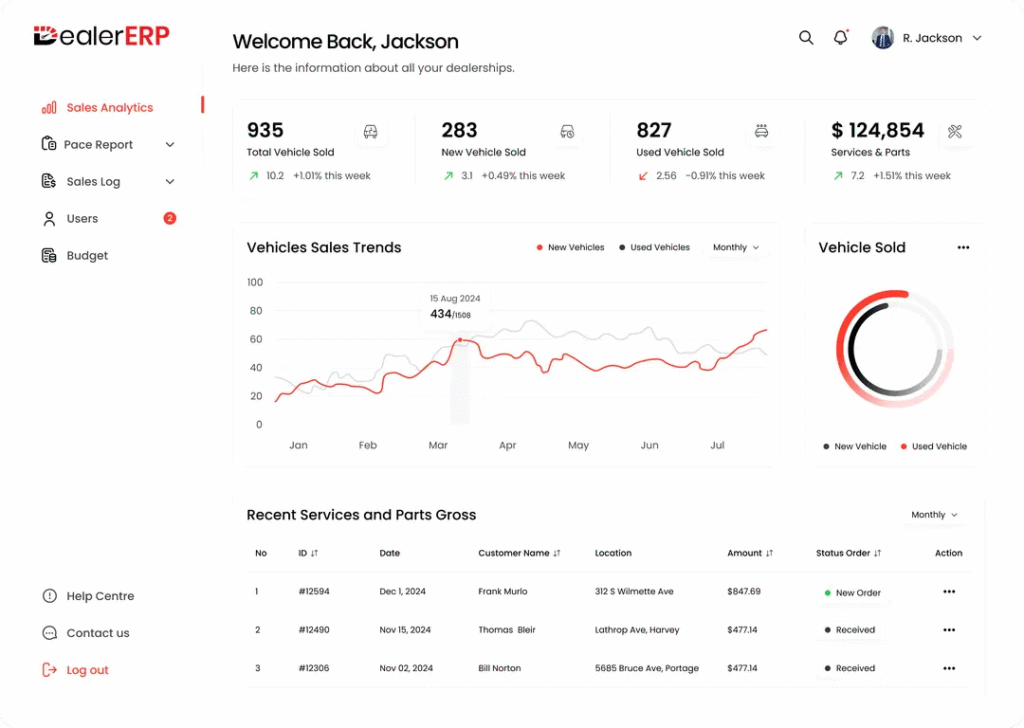
A Dealer Management System is the comprehensive technological backbone of a dealership that supports multiple facets(ideally all aspects) of a dealership’s operations. It manages the transactions, the inventory, the finances, the service department, and the compliance requirements that make a dealership a legal, regulated business.
Functions of a DMS Perform
Inventory management
The DMS tracks every vehicle on the lot, whether new, used, or in-transit, including cost basis, reconditioning expenses, days in stock, and wholesale/retail pricing. It also manages parts inventory, automating reorder points so that the service department does not run out of commonly needed components.
Sales and deal processing
When a salesperson structures a deal, working a trade-in value, calculating monthly payments, and arranging financing, they do this in the DMS. The system contains a desking tool for payment calculation, integrations with lenders through RouteOne or Dealertrack, and a document management system for generating and storing the deal jacket: the buyer’s order, finance contract, privacy notice, and all compliance documents.
Finance and Insurance (F&I) processing
The F&I manager works almost entirely within the DMS to build the menu of add-on products, run credit applications, submit deals to lenders electronically, and track deal funding status. This module also handles OFAC checks, Adverse Action notices, and the regulatory documentation that franchise dealers must maintain.
Service department management
The DMS manages the entire service workflow: appointment scheduling, repair order creation and tracking, technician time and labor assignment, warranty claims submission to the OEM, and customer-pay invoicing. It also maintains a complete service history for every vehicle, data that is valuable both for customer retention and for used vehicle valuation.
Parts management
Beyond tracking bin locations and quantities, the DMS handles parts ordering directly with OEM systems. Many platforms have integrations with over 200 manufacturers, allowing dealers to submit electronic purchase orders, receive parts receipts, and reconcile invoices without manual re-entry.
Accounting
Automotive accounting is specialized enough that general-purpose accounting software like QuickBooks cannot handle it reliably. A car deal involves floorplan liability, trade-in assets, holdback income, dealer reserve, OEM incentive payments arriving on a separate timeline, and state-specific regulatory requirements. The DMS accounting module handles all of it, maintaining the general ledger, producing financial statements, managing accounts payable, and closing the books at month-end. This is an area where the DMS genuinely has no substitute in a franchise dealership environment.
Reporting and analytics
Because the DMS sits at the center of all operational data, it produces the reports that matter most to ownership and management: gross profit by department, inventory aging, service absorption rate, F&I penetration rates, and employee productivity. These are the numbers a dealer principal reviews at the monthly management meeting.
What does a CRM built into a DMS not do that a specialized CRM can do?
Most modern Dealer Management Systems (DMS), like CDK Global, Reynolds & Reynolds, or Dealertrack, do include basic CRM-like functionality (customer records, deal history, contact info). However, the CRM features built into a DMS are generally rudimentary compared to a dedicated automotive CRM like VinSolutions, Elead, or Salesforce Automotive.
A DMS is fundamentally built around transactional operations, desking deals, F&I, accounting, parts/service ROs, and inventory. CRM is almost an afterthought in most DMS platforms.
Lead Management at Scale
The DMS only captures customers once they’re already in a deal. A CRM captures and nurtures inbound leads from the website, third-party listings (Cars.com, AutoTrader), walk-ins, and phone calls, even before a deal is opened.
Sales Process & Pipeline Tracking
Dedicated CRMs give managers visibility into every lead’s stage (contacted, demo scheduled, negotiating, lost). Most DMS platforms have no real sales funnel view.
Automated Follow-Up & Email/Text Campaigns
CRMs send automated drip campaigns, unsold follow-ups, and service reminders with two-way texting. DMS systems rarely offer this sophistication.
BDC (Business Development Center) Operations
Dealerships running a BDC need call logging, task queues, and productivity reporting per agent. These tools, while available in specialised automotive CRMs, aren’t a part of most DMS software.
Multi-Rooftop / Group-Level Visibility
Auto groups with multiple stores need a CRM that gives a consolidated view of customers across locations, preventing duplicate outreach and identifying cross-sell opportunities.
Equity Mining & Retention
Dedicated CRMs can scan the DMS data and proactively flag customers who are in a strong equity position to be contacted for an upgrade. It’s a function most DMS platforms don’t offer natively.
Marketing Attribution & ROI Tracking
CRMs track which ad source (Google, Facebook, CarGurus, etc.) generated a lead and whether it converted, which is critical for campaign optimization. Most DMS software has no concept of marketing attribution.
Unsold & Lost Lead Nurturing
A DMS only cares about deals that happen. A CRM is specifically built to re-engage customers who visited, called, or inquired but didn’t buy.
DMS vs CRM: Which One Should You Choose?
The answer depends on what your automotive business actually does and where the gaps in your operation are. There are scenarios where one is preferable over the other.
Scenarios Where You Only Need a CRM
You are an independent used car dealer with a small lot.
Your transaction volume is manageable, you handle accounting in QuickBooks, your parts exposure is minimal, and your main problem is staying organized on leads and follow-up. An automotive CRM like Selly Automotive or AutoRaptor is purpose-built for exactly this situation. It brings structure to your sales process without the cost and complexity of a full DMS.
You operate a single-brand automotive retail operation that does not carry inventory.
Referral agents, digital brokers, or automotive consultants who help clients find and purchase vehicles need relationship management and pipeline tracking, not inventory accounting or repair order systems.
You run a high-volume call center or BDC for a dealer group.
The BDC’s job is lead handling and appointment setting, functions that live entirely within the CRM. The BDC does not need access to deal structuring or accounting functions.
You manage a fleet sales department inside a larger business.
If you sell vehicles to corporate clients and service relationships over time, a CRM tracks those accounts effectively without requiring the full DMS infrastructure.
Off-the-shelf CRM options worth evaluating:
VinSolutions, ELEAD CRM (CDK Global), DriveCentric, Selly Automotive, AutoRaptor, DealerSocket CRM.
What to look for when choosing a CRM?
Omnichannel Communication Logging:
Can the system natively track SMS, email, and VoIP calls within a single thread? To avoid “blind” follow-ups, the CRM must log every interaction automatically so that any rep can pick up exactly where the last conversation left off without asking the customer to repeat themselves.
Inventory & Lead Provider Synergy:
Does it provide a live feed of your current inventory and pull leads instantly from third-party sites like Cars.com or AutoTrader? This prevents “lead leakage” and ensures your team is pitching vehicles that are actually sitting on the lot.
Mobile-First Accessibility:
Is the mobile app robust enough to handle lead scans, video walkarounds, and driver’s license uploads? Modern sales happen on the lot; if the CRM forces reps back to their desks to enter data, your “time-to-first-response” metrics will suffer.
Automation with Human Guardrails:
Can you automate long-term nurture sequences (like lease-end or equity alerts) while still allowing reps to jump in for a personal touch? You want a system that handles the “grunt work” of follow-up without making your dealership sound like a robot.
Scalable Reporting & Accountability:
Does the dashboard provide “at-a-glance” metrics for lead response times, appointment-show rates, and individual rep performance? You need visibility into where deals are stalling in the pipeline to provide effective coaching.
Low-Friction UI for High Adoption:
Is the interface intuitive enough for a new hire to learn in a day? A CRM’s value is entirely dependent on team usage; if the “learning curve” is too steep, the data will be incomplete, and the investment will be wasted.
Proactive Technical Support:
Does the vendor provide a dedicated success manager or 24/7 technical support? In a high-volume sales environment, a CRM glitch on a Saturday afternoon can cost you thousands in lost opportunities if it isn’t resolved immediately.
Compliances
Automotive CRM compliance checklist for US-based dealerships
| Regulation | Key Requirements & System Role |
| TCPA (Telephone Consumer Protection Act) | Regulates automated outreach. The CRM must manage written consent, track “STOP” requests, and maintain “Do Not Call” (DNC) lists. |
| CAN-SPAM Act | Rules for commercial email. Every CRM-sent email must include a clear unsubscribe link, a physical address, and honest subject lines. |
| FTC Safeguards Rule | Security for personal data. The CRM must support Multi-Factor Authentication (MFA), encryption, and logs to track access to customer records. |
| CCPA / CPRA (State Privacy Laws) | Right to be forgotten. The CRM must allow for the export or permanent deletion of customer data upon a consumer’s request. |
Scenarios Where a DMS is the Essential Investment
You are a franchise dealership facing operational or back-office bottlenecks.
If your sales processes are functioning but your service department is chaotic, inventory costs are unclear, or the accounting close takes two weeks every month, a DMS is the only tool that can address these structural issues.
You run a service-only operation or a high-volume repair center.
A standalone service center that does not sell vehicles still requires the service, parts, and accounting modules of a DMS to function. In this scenario, the heavy-duty lead management tools of a CRM are often unnecessary overhead; you need a system built to track repair orders, technician hours, and parts margins.
You are a parts distributor or wholesale operation.
Core DMS functions like parts inventory management, electronic purchase orders, and manufacturer supplier integrations stand independently of sales pipeline tools. For wholesale businesses, the ability to reconcile invoices and manage floorplan liability is far more critical than tracking retail customer inquiries.
You are a dealer group standardizing back-office operations across rooftops.
When the strategic priority is unified accounting, consolidated reporting, and consistent financial processes, the DMS is the foundational investment. It provides the “single version of the truth” for ownership, allowing management to compare the health of multiple locations through a synchronized general ledger.
Off-the-shelf DMS options worth evaluating
CDK Global (Dealership Xperience), Reynolds and Reynolds ERA-IGNITE, Dealertrack DMS (Cox Automotive), Tekion Automotive Retail Cloud, DealerSocket DMS, PBS Systems, and Autosoft.
What to look for when choosing a DMS?
Supported Integrations and APIs
Ensure the DMS offers “Open APIs” to connect seamlessly with external tools like RouteOne or Dealertrack for financing, comprehensive inventory syndicators (e.g., vAuto), and third-party lead providers. Without these connections, your staff is forced into “double-entry” data management, which increases the risk of manual errors and prevents real-time synchronization between your physical lot and your digital storefront.
Comprehensiveness
Verify that the platform includes unified modules for Accounting, F&I, Service, Parts, and Inventory so that every dollar moving through the dealership is tracked in one central general ledger. A system that lacks specialized modules (like a robust Service Repair Order tracker or OEM-specific warranty submission tools) will require you to purchase additional standalone software, leading to fragmented data and higher monthly costs.
Compatibility
Confirm the system is compatible with your existing hardware and operating systems, and prioritize cloud-native architecture that allows your team to access deal jackets or service schedules from mobile tablets and remote devices. Modern automotive retail is no longer tethered to a desktop; compatibility with mobile platforms ensures your service advisors can greet customers at the vehicle and your sales team can structure deals anywhere on the showroom floor.
Technical support
In case the system doesn’t function properly, you will need support from your DMS’s engineering team. The support also has to be swift and effective because downtime for a dealership is costly.
Onboarding ease
If the learning curve is steep, your team won’t use the DMS, and it will turn into shelfware, draining your capital and offering no value in return.
Compliance
Here’s the DMS compliance checklist for US dealerships
| Compliance | What it does |
| GLBA (Gramm-Leach-Bliley Act) | Protects consumer financial privacy. Your DMS must generate/track Privacy Notices and securely store SSNs, bank details, and credit scores. |
| OFAC (Office of Foreign Assets Control) | Prohibits business with restricted individuals. Your DMS automatically checks names against the Treasury’s database during desking and flags hits. |
| IRS Form 8300 (Cash Reporting) | Mandates reporting cash payments over $10,000. Your DMS tracks payment types and triggers Form 8300 filing with FinCEN within 15 days. |
| Truth in Lending Act (TILA / Regulation Z) | Requires clear disclosure of credit terms. Your DMS must accurately calculate APR, finance charges, and total payments on final contracts. |
State-level compliance adds another layer. Illinois dealerships operating under BIPA (Biometric Information Privacy Act) need their CRM to handle written consent, defined retention schedules, and destruction protocols for any biometric identifier, including fingerprints or facial geometry used in identity verification. BIPA carries statutory damages of $1,000 to $5,000 per violation. This is an architectural decision, not a legal disclaimer to add after launch.
If you want one that fulfills all the criteria of a perfect dealership management system, you can opt for Hudasoft’s DMS. It has integrations with vehicle APIs like Fortelis and CDK that allow your dealership to get vehicle health data and, based on that, schedule maintenance in advance to make sure all the vehicles you have sold are in perfect health at all times.
In addition, it covers all the modules that a standard dealership requires (from finance, operations, and inventory management to service-based scheduling), and even a comprehensive CRM module is part of the system.
It is also compatible, since the deployment is custom and based on a thorough discovery of your existing technologies to ensure alignment with your current systems.
Other than that, you also get post-deployment support and maintenance. In case anything requires attention from the development team, support is available to make sure the DMS is functioning properly and producing results.
It is also built with an easy UX for smooth onboarding across your entire team, so it doesn’t turn into shelfware and is actually used on a day-to-day basis for the purpose it is meant for.
Scenarios where you need a dedicated CRM + DMS
The DMS vs CRM debate becomes less relevant for large dealerships with operations spread out across several locations and lead sources diversified across multiple channels. At that scale, you need both a robust DMS and a specialized automotive CRM, and for centralizing the data, both must be integrated.
Integrating Automotive CRM with DMS
Separately deploying CRM and DMS requires integration for smooth operations. What you get from a clean integration is a centralized automotive platform where both your DMS and CRM talk to each other in the background, and your team works from one reliable data source. In this case, either your CRM provider or DMS provider must act as a partner to ensure your entire tech ecosystem works as one.
For businesses in this situation, working with a specialized automotive app development company like Hudasoft is the practical path forward.
Building and maintaining a clean integration between two complex enterprise platforms, each with its own data model, API behaviors, and update cadence, is a technical challenge that generic software vendors do not prioritize and that most in-house IT teams are not staffed to handle on their own. An automotive software partner that has done this work before brings the domain knowledge, the integration patterns, and the ongoing support to make the connection reliable rather than fragile.
One thing dealerships skip during integration is defining data ownership upfront. Set these rules before go-live: customer records are mastered in the CRM, vehicle inventory is mastered in the DMS, and transaction history syncs bidirectionally. Without this, both systems end up with conflicting records, and neither team trusts the data they are looking at.
Duplicate customer records are one of the most common integration failures. The same customer appears multiple times with name variations or old contact details, and both systems keep creating new records instead of merging. The fix is a matching protocol that uses phone number standardization, address verification, and VIN history to deduplicate before the first sync. Do not let both systems go live without this step resolved.
Once both systems are running, track these numbers to confirm they are working. For CRM: lead response time (under 5 minutes is the industry benchmark), appointment-to-show rate, and close rate by lead source. For DMS: time from delivery to funding, service bay utilization, and parts inventory turnover. If these numbers are not improving within 90 days of deployment, the integration has a problem that needs diagnosis.
A basic CRM-DMS connection covering customer records and inventory typically takes 4 to 6 weeks. Full bidirectional integration covering service history, accounting sync, and parts data runs 3 to 6 months, depending on which platforms are involved.
Final Words
The CRM and DMS are not competitors for the same budget line. They solve different problems, and for most established automotive businesses, both are necessary. The CRM ensures that no customer relationship is mismanaged. The DMS ensures that the business behind those relationships runs cleanly and legally.
The DMS vs CRM decision that actually requires thought is sequencing: which comes first, which gaps are most urgent, and how do you set up the integration so that the two systems multiply each other’s value rather than creating more complexity. Get that sequencing right, and both investments pay off clearly. Get it wrong, and you end up with two expensive platforms producing contradictory data and a team that trusts neither.
Start with an honest audit of where your operation is actually losing money or losing customers today — and let that answer tell you where to begin.

